
Practice management for law firms in the Caribbean.
Matters, court deadlines, billing, trust accounts and a client portal in one system, built for how small firms here actually work.
Runs in your browser. Nothing to install.
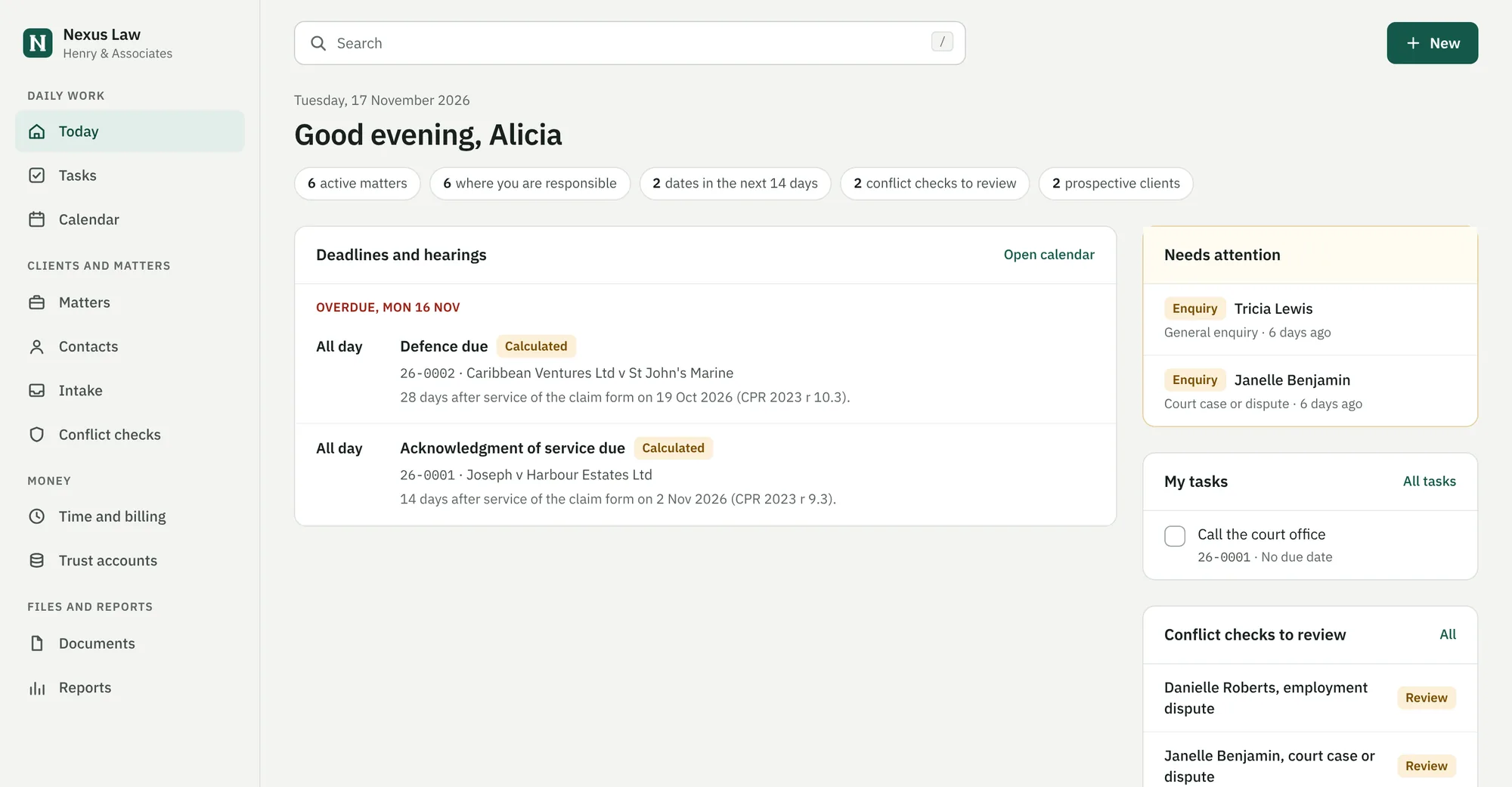
Every matter in one file.
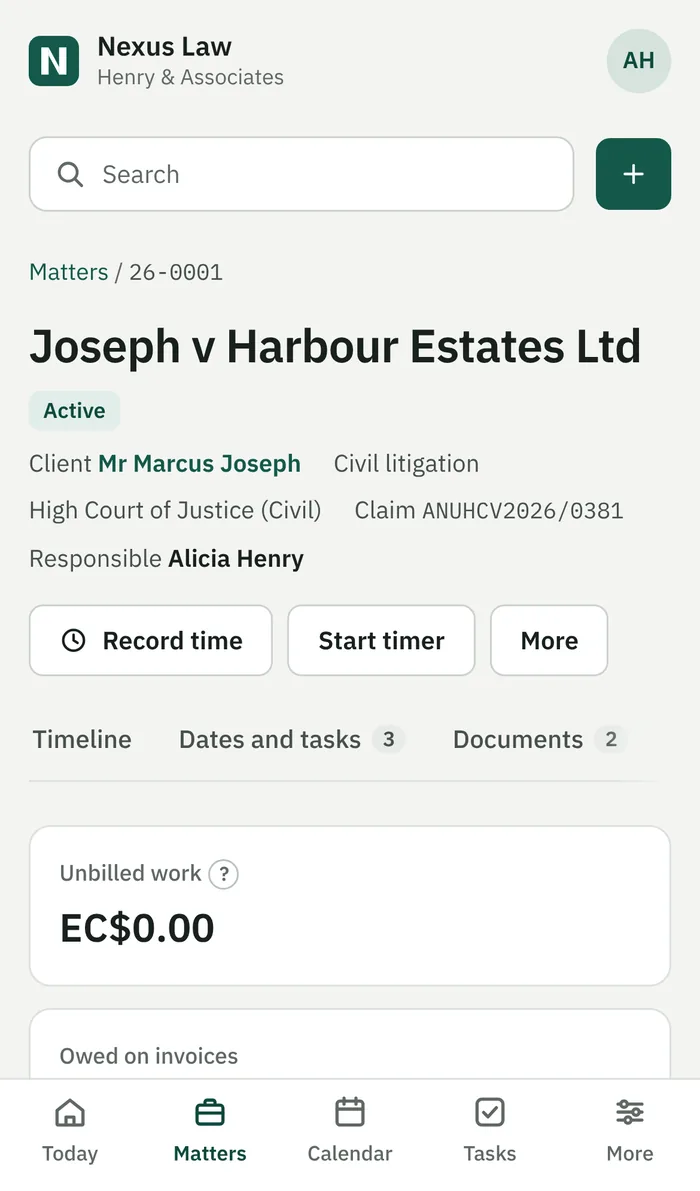
Clients and the other side, dates, documents, notes, time, invoices and trust money sit together on the matter. The timeline writes itself as the team works, and each entry links to what it describes.
- A conflict check on every name before you take the work on.
- Notes keep every earlier version. Nothing is overwritten.
- Search finds a client, matter, claim number or invoice as you type.
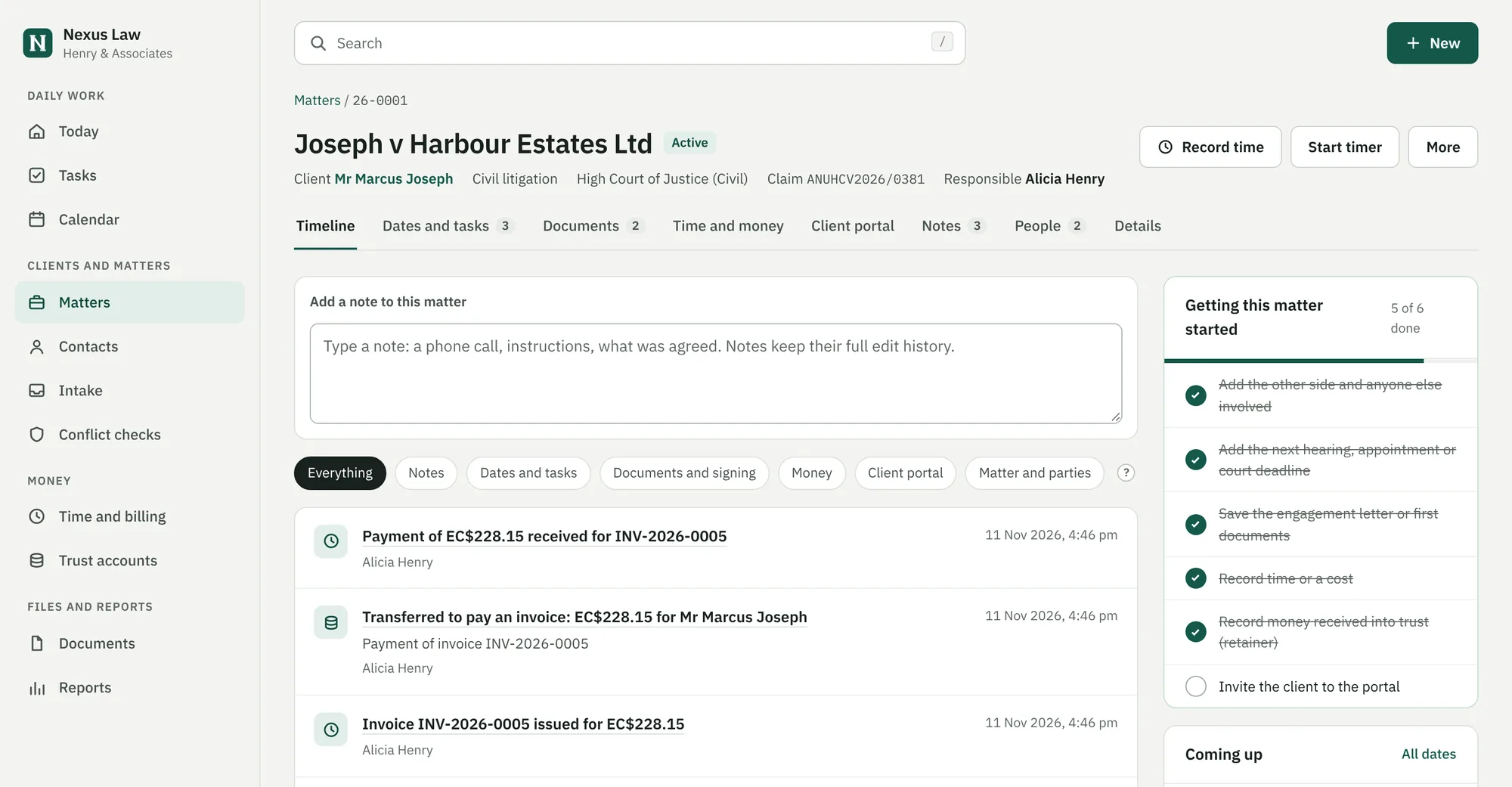
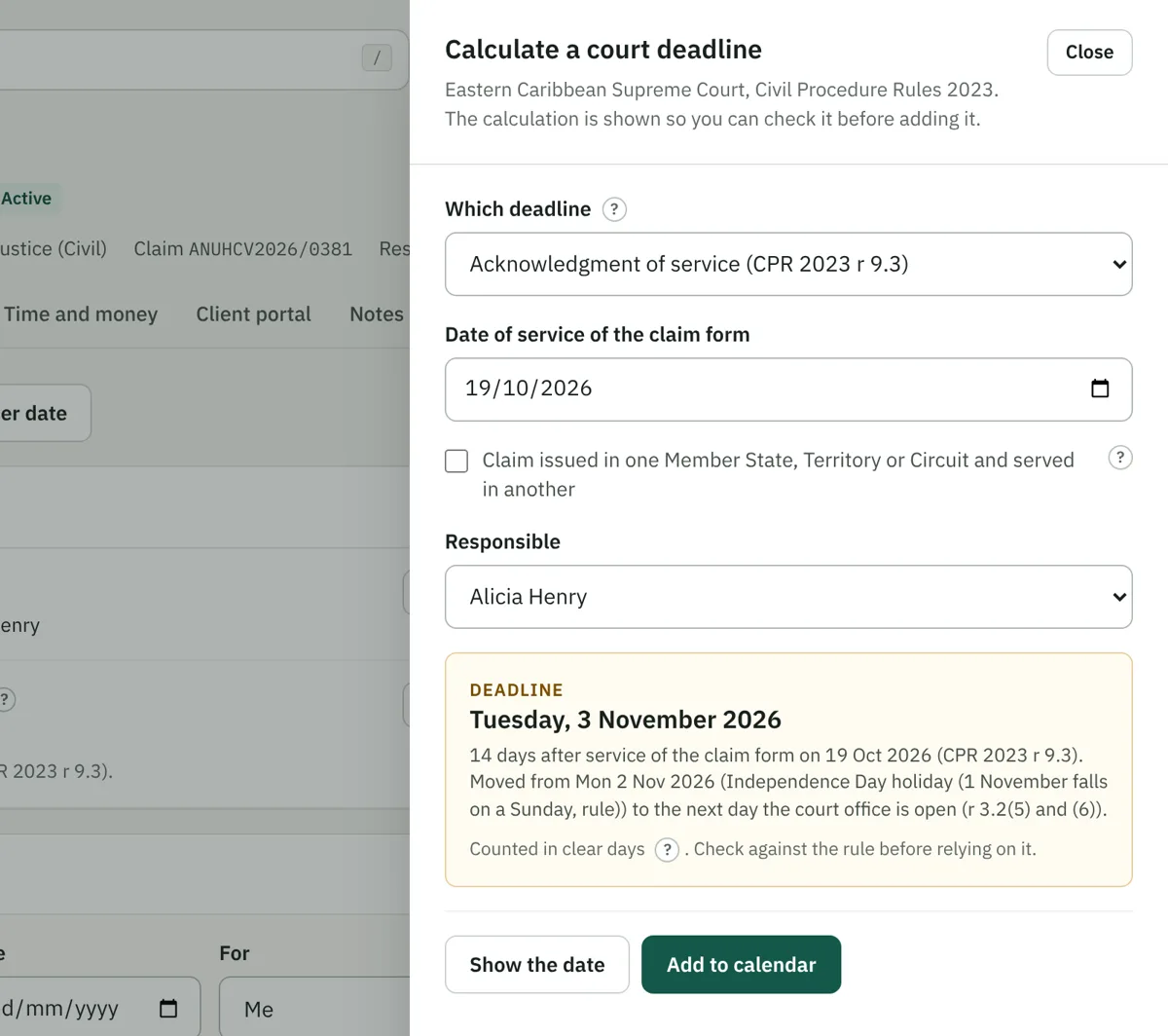
Deadlines you can check.
Choose the step and the date of service. Nexus Law counts the days under the Eastern Caribbean Supreme Court Civil Procedure Rules 2023, moves past weekends, public holidays and the long vacation where the rules say so, and shows its working before anything goes on the calendar.
Each morning, everyone on the team gets an email with their hearings, deadlines and tasks for the day.
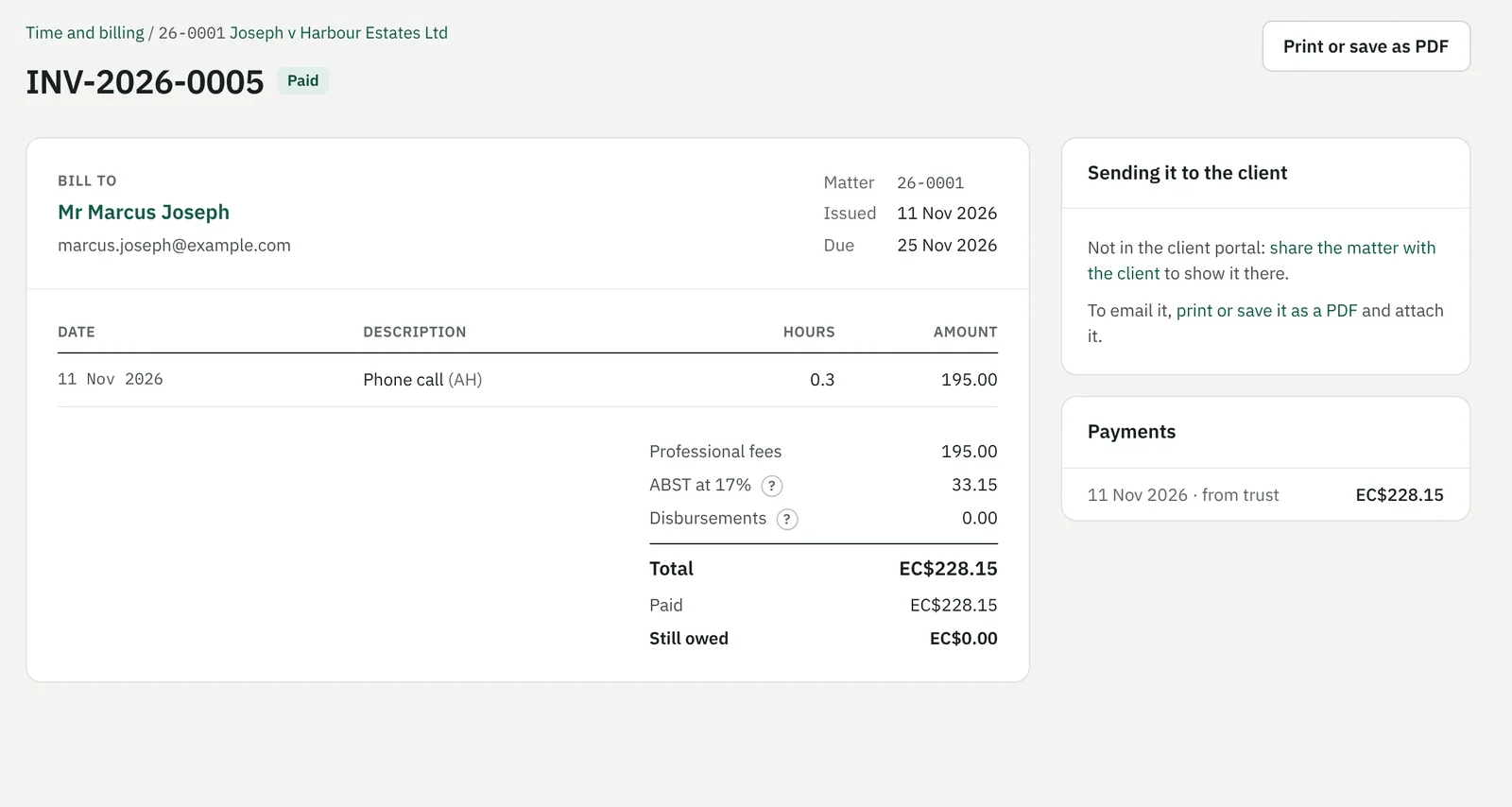
From the timer to the clients' account.
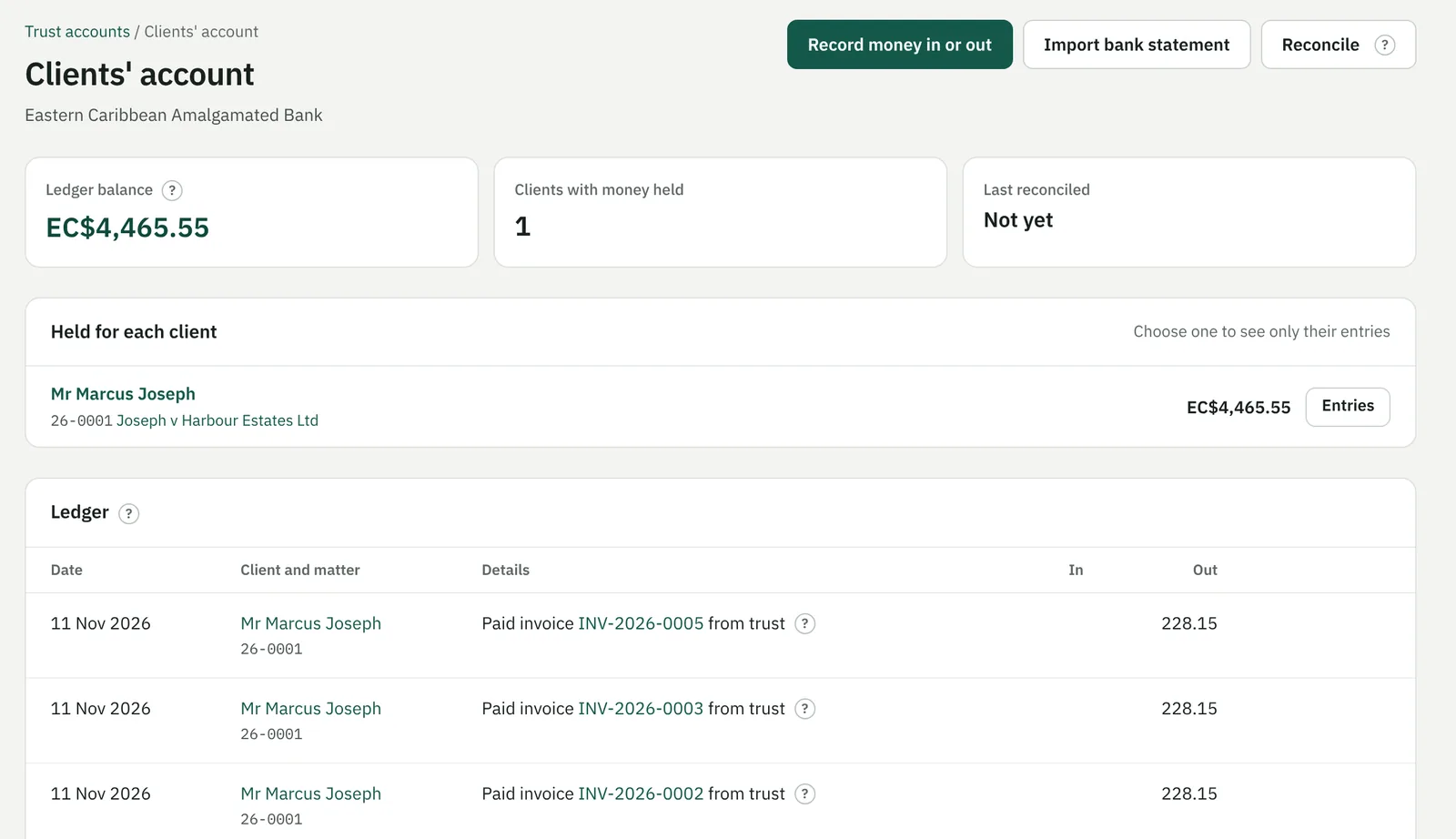
Start a timer on a matter and describe the work when you stop. Tick what to bill and a draft invoice is ready to check. Pay it from money the client holds in trust, or record a cheque or transfer.
- Trust entries are never edited. Mistakes are corrected by an opposite entry, so the history stays whole.
- Import the bank statement and reconcile the account, the ledger and the client balances.
- Export invoices for QuickBooks Online.
Letters, signatures and a portal for your clients.
Your own Word templates fill in the client and matter details. Send a PDF for signature: each signer confirms a code sent to their email, reads it and types their name, and a sealed copy with the full signing record comes back to the file. Documents the law requires to be signed on paper, such as wills and land transfers, are kept out of e-signing.
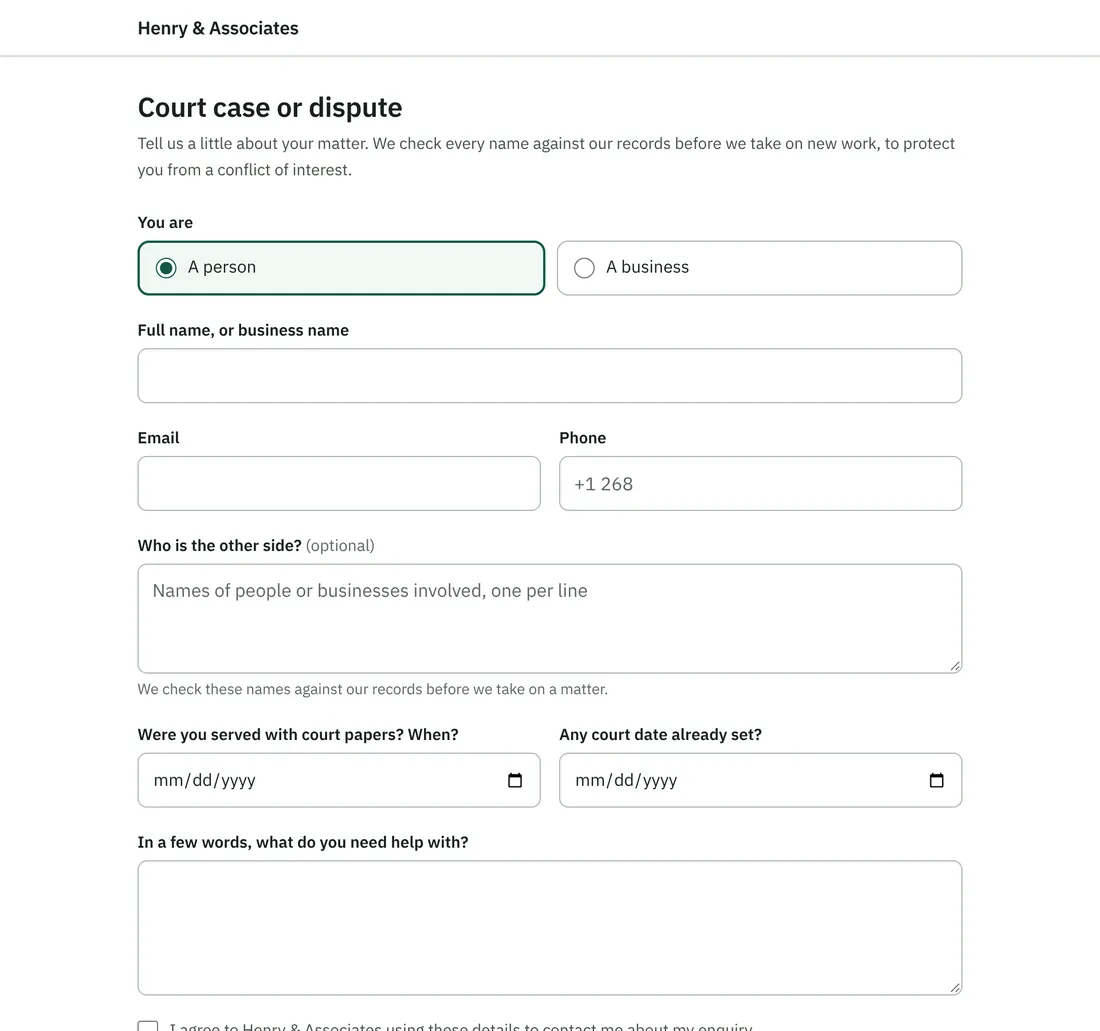
New clients can enquire through your own online form. Existing clients sign in to see their matter, the documents you share and their invoices, and to message you.
Know where the practice stands.
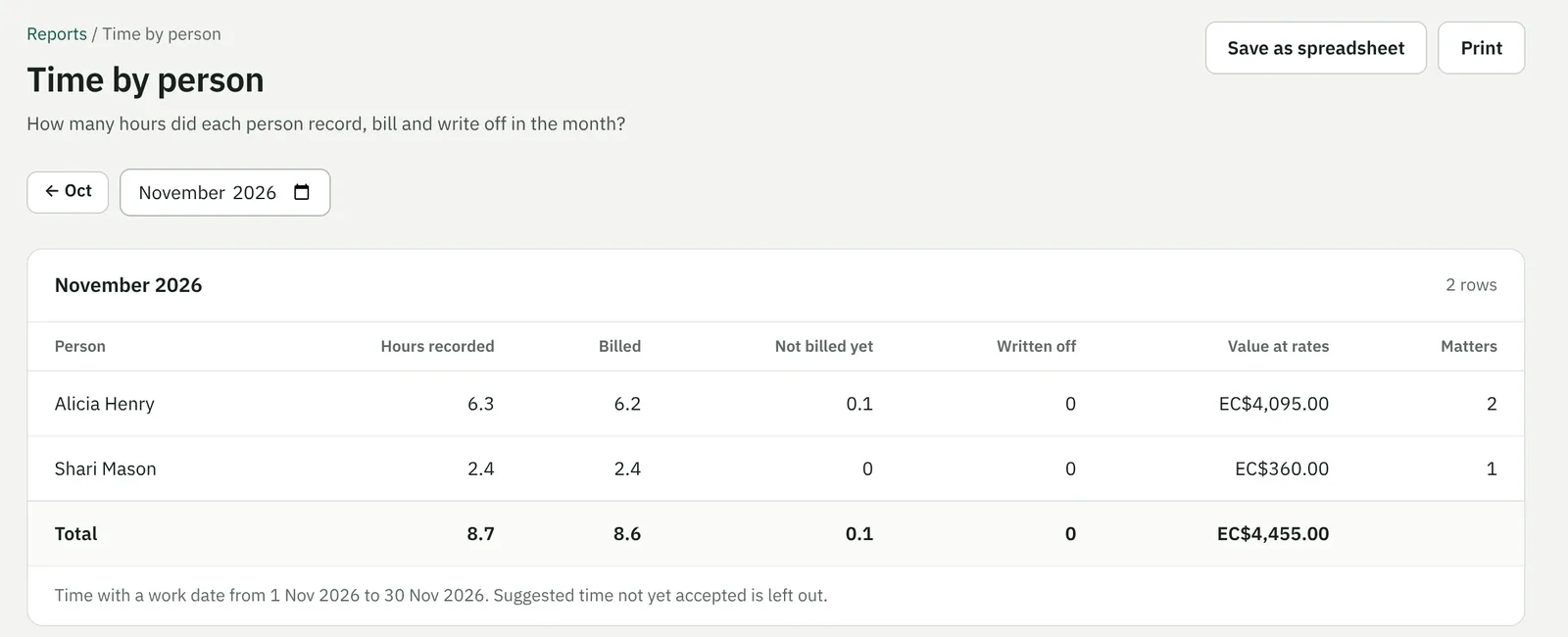
Work not yet billed, who owes you and for how long, what was billed and collected each month, time by person, money held for each client, matters that have gone quiet, and the deadlines coming up. Each one prints or opens in Excel.
Moving from AbacusLaw, PCLaw, spreadsheets or paper files?
We bring your contacts, matters, open invoices and trust balances across and help your team get started. You keep working while we set it up.
Client confidentiality is the first requirement.
- Separated by firm
- Each firm's records are walled off in the database itself, not only in the software, so one firm can never see another's.
- Two-step sign-in
- Every member of staff signs in with a password and a code from an authenticator app on their phone.
- Nothing rewritten
- Trust entries, document versions, note history and signing records cannot be changed after the fact. Corrections are added beside them.
- A record of every change
- Sign-ins, changes to matters and access, and money movements are kept in an audit log.
- Private files
- Documents are stored privately and reach people only through the app, after it checks who is asking.
- Hosted and backed up
- Hosted with DigitalOcean in New York, with the database backed up every day.
One plan with everything in it.
Priced per staff user. Every feature on this page is included, the client portal and e-signing too.
Minimum of three users. Prices in US dollars, before any tax that applies.
What firms ask us first.
Which rules of court does it follow?
Deadline calculations follow the Eastern Caribbean Supreme Court Civil Procedure Rules 2023. If your firm practises under other rules, tell us which when you book a demo. Matters, documents, billing, trust and the client portal do not depend on the court.
Do we need to install anything?
No. Nexus Law runs in a web browser on Windows and Mac computers, tablets and phones. Your Word templates are uploaded once and filled in from there.
Where is our information kept?
With DigitalOcean in New York. Each firm's records are separated in the database itself, files are stored privately, and the database is backed up every day.
Can our clients use it?
Yes, for the matters you choose. Clients sign in to the portal to see the matter, the documents you share and their invoices, and to message you.
Does it work with Word, Excel and QuickBooks?
Templates are ordinary Word files, every report saves as a spreadsheet that opens in Excel, and invoices export for QuickBooks Online.
See it with matters like yours.
Tell us a little about your firm. We will arrange a time to show you Nexus Law, in person or online.